Class Schedule Icons

Cerritos College College offers many classes that save students money by using free or low-cost textbooks.

Zero Textbook Cost (ZTC)

Crossed out dollar sign overlaying a book

Zero Textbook Cost (ZTC) - classes offer free access to all instructional material including all: textbooks, books, software, and homework systems required for the class.

Low Textbook Cost (LTC)

Arrow pointing down next to a dollar sign overlaying a book

Low Textbook Cost (LTC) - classes that require instructional material cost including textbooks, books,  software, and homework systems required for the class that is $50 total or less.

How to find ZERO & LOW TEXTBOOK COST classes online:



Step Two

Click on QuickLinks and click on MyCerritos
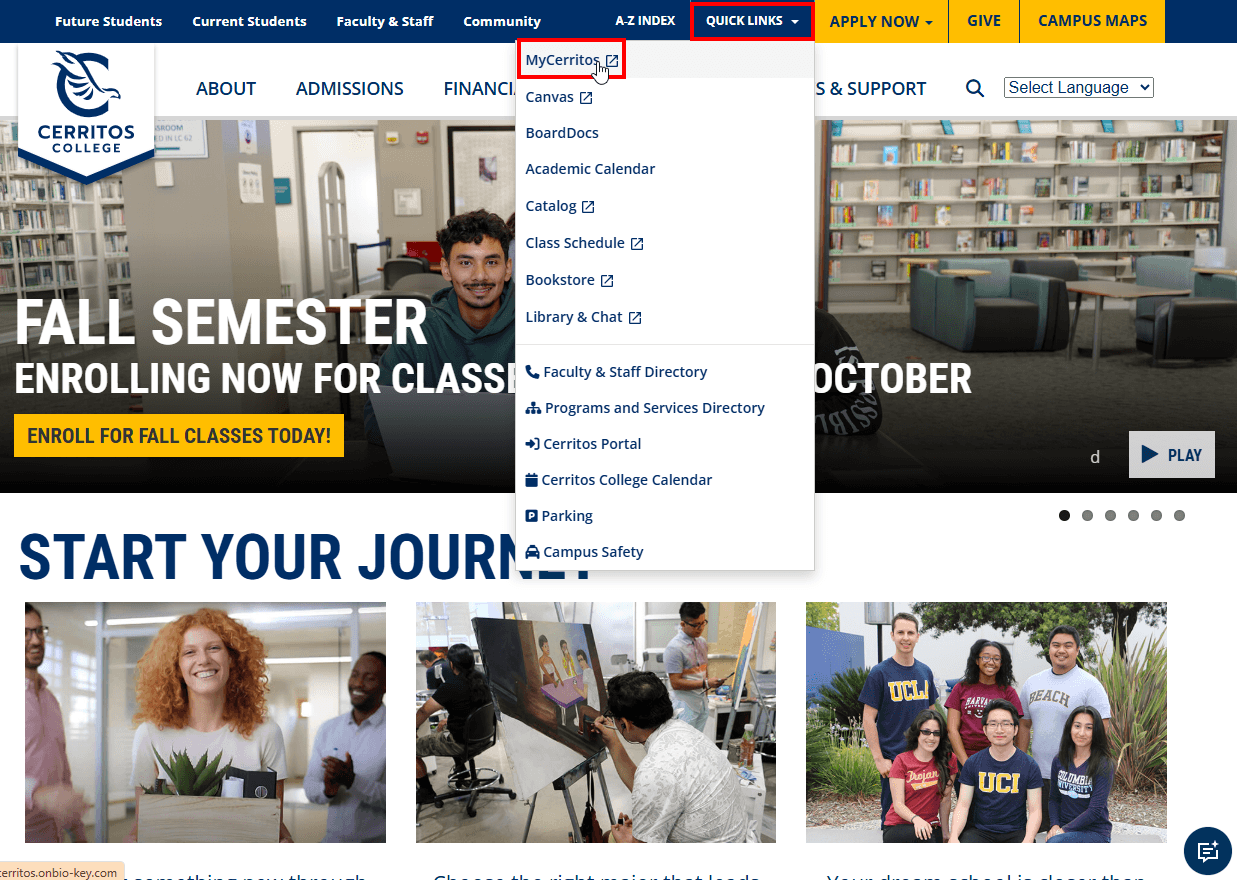
"Cerritos College homepage with Quick Links menu open and the Quick Links button and MyCerritos link outlined in red


Step Three

Log in to your Cerritos Campus Portal
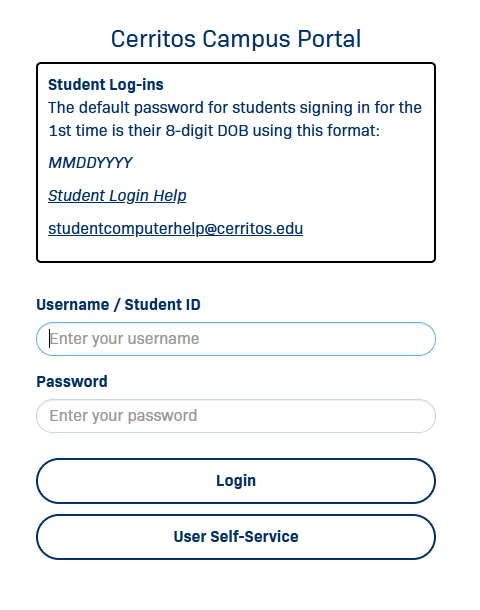
Cerritos Campus Portal login with Username/Student ID and Password fields; default student password is DOB as MMDDYYYY


Step Four

Click on the MyCerritos tile

myCerritos tile


Step Five

Click on the Student Center tile

Student Center tile


Step Six

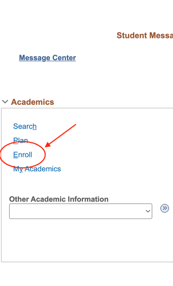
Click "Enroll"

Student Center Academics menu with links Search, Plan, Enroll, My Academics; Enroll is circled in red with an arrow.


Step Seven

Select the term you’d like to look at classes for
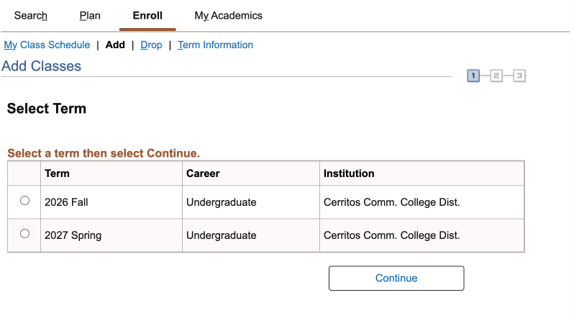
Cerritos College Add Classes page, Select Term step, with radio options for 2026 Fall and 2027 Spring undergraduate terms.


Step Eight

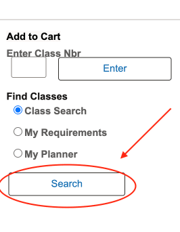
Click “Search”

Add to Cart panel; under Find Classes, Class Search is selected and a red arrow and circle highlight the Search button.


Step Nine

On the Search for Classes page, select the subject you’re looking for, and select Low Textbook Cost, Zero Textbook Cost, or both. Then press “Search”
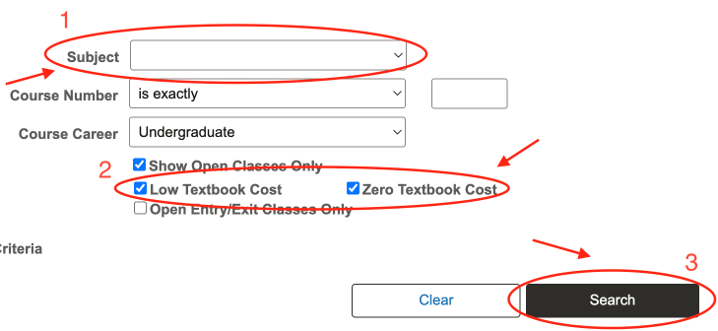
Class Search form with numbered red callouts: 1 Subject dropdown, 2 Low and Zero Textbook Cost checked, 3 Search button.


Step Ten

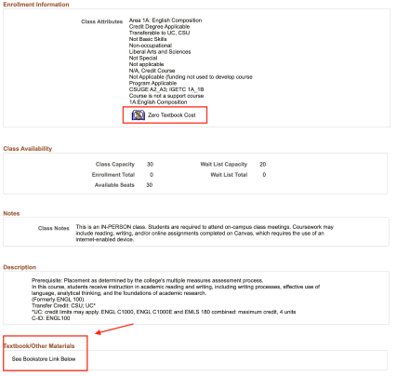
Your Search Results will show class section(s) that have the textbook cost you selected. Click the class to see more details. To see textbook details, click “view book information”
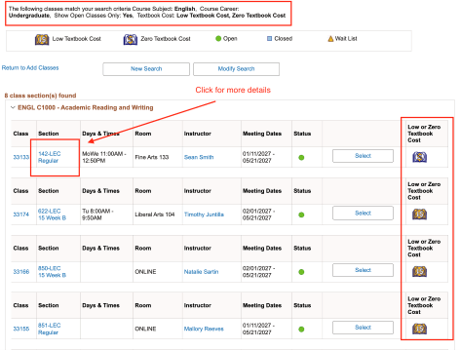
ENGL C1000 search results; red boxes highlight a section link to click for details and the Low or Zero Textbook Cost column.

Class Detail page; red boxes highlight the Zero Textbook Cost attribute and the Textbook/Other Materials bookstore note.