RSI Self-Assessment Tool Step-by-Step Visual Walkthrough
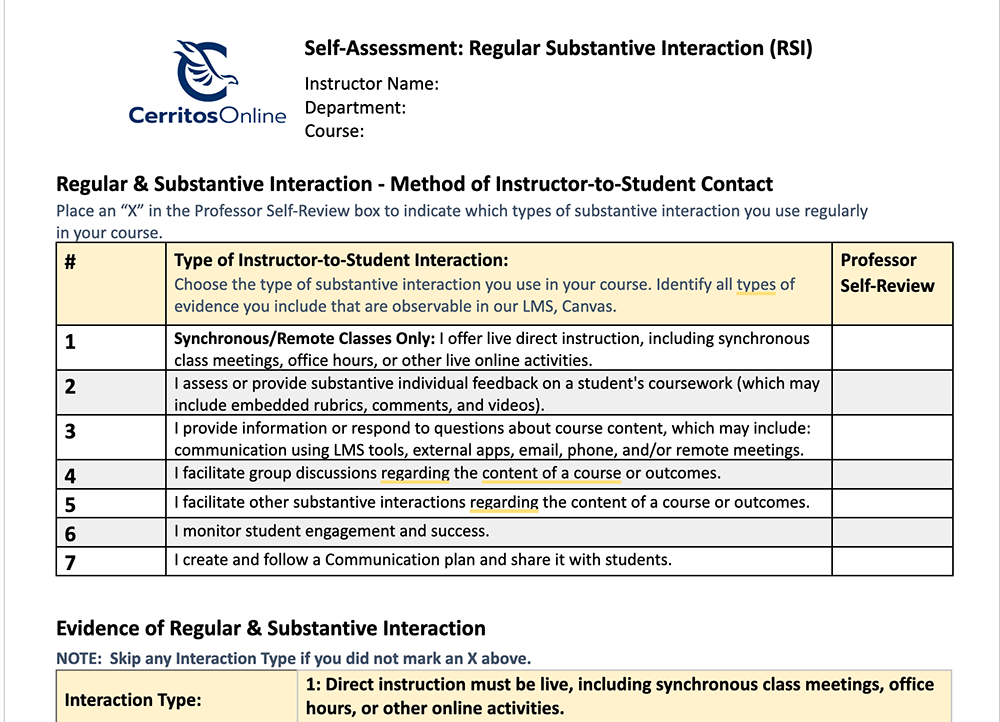
✅Step 1: Reflect on your RSI practices by filling out the RSI Self-Assessment Tool for each online class you teach. Once you have completed it the first time, it will be easy to duplicate and make the revisions needed for each course.
- Open the RSI Self Assessment Tool.
- Follow the instructions in the “First” section about “making a copy” of the document and “sharing” it so that “anyone can view.” If you are unfamiliar with Google docs, please see these visual instructions.
- Look at your course and fill out the form with brief, easy-to-scan answers. The questions are straightforward. The great thing about this form is that
it guides you towards adopting best practices. You can make adjustments to your teaching
to maximize RSI.
✅Step 2: Create a module for the ACCJC evaluators so that they can look at your form.
- Log in to Canvas.
- Go to the course you want to self-assess.
- Go to the upper right hand corner and choose “+ Module”
- Create an unpublished module entitled “ACCJC Evaluator: Regular and Substantive Interaction Evidence, Placement, & Frequency.”
- Place this module at the very top.
- See an example in our RSI Canvas course.
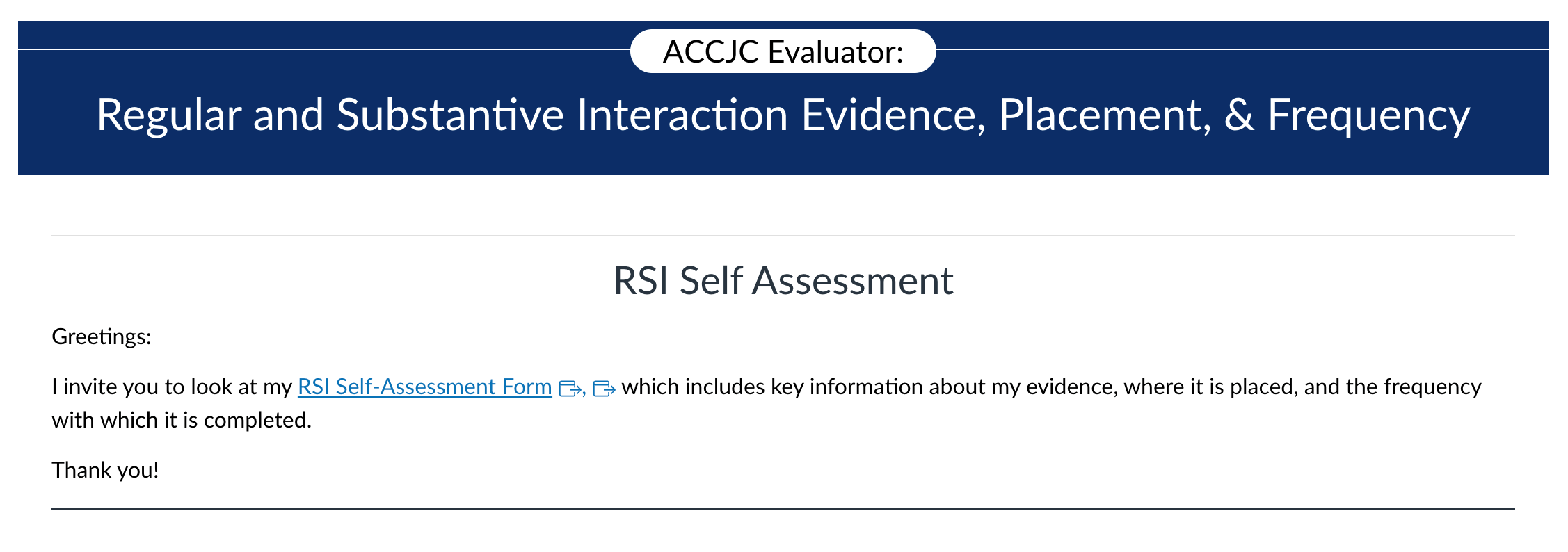
✅Step 3: Create a new page with the same title as your module: “ACCJC Evaluator: Regular and Substantive Interaction Evidence, Placement, & Frequency.”
- Click on “Pages” located in the white course navigation bar to the left.
- It will open up to your pages.
- Click on the blue “+” sign located in the upper right-hand corner of the webpage to add a page.
- Title your page: “ACCJC Evaluator: Regular and Substantive Interaction Evidence, Placement, & Frequency.”
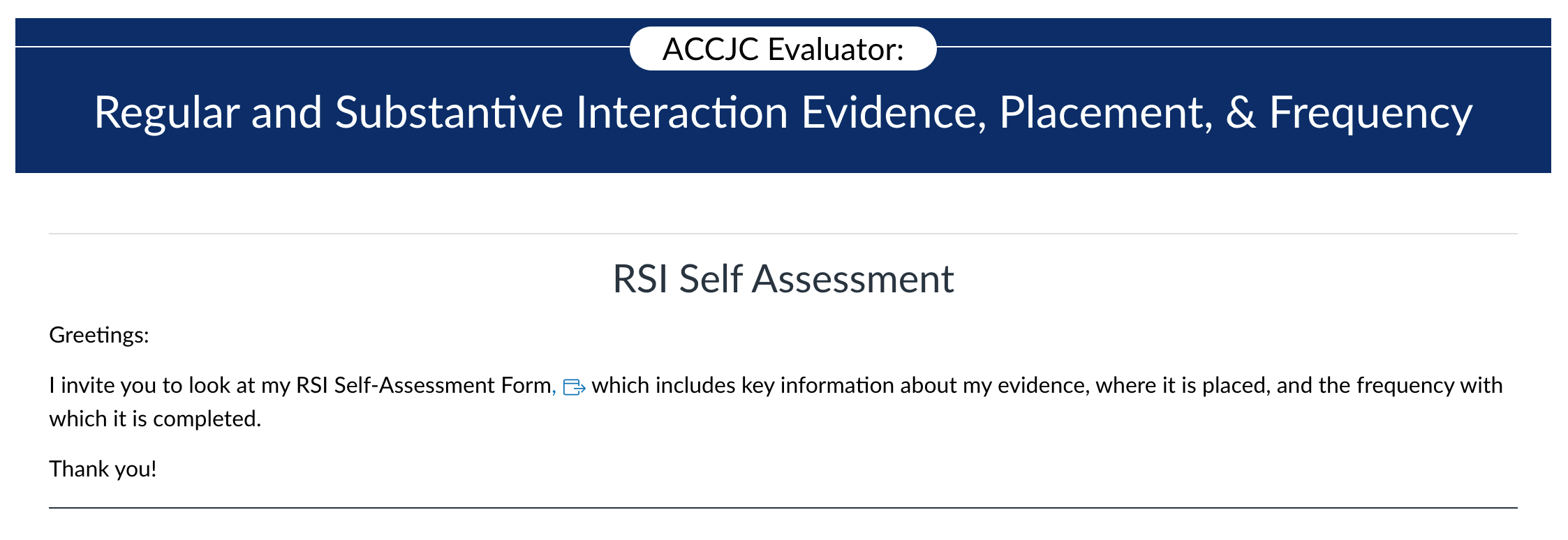
- Add a message to your potential ACCJC evaluator on the page similar to this one: “Greetings,
I invite you to look at my RSI Self-Assessment Form, which includes key information
about my evidence, where it is placed, and the frequency with which it is completed.
Thank you!”

✅Step 4: Link your RSI Self-Assessment Google Doc to your “ACCJC Evaluator: Regular and Substantive Interaction Evidence, Placement, & Frequency” page.
- On your RSI Self-Assessment Google Doc, click on “Share.”
- Copy the link.
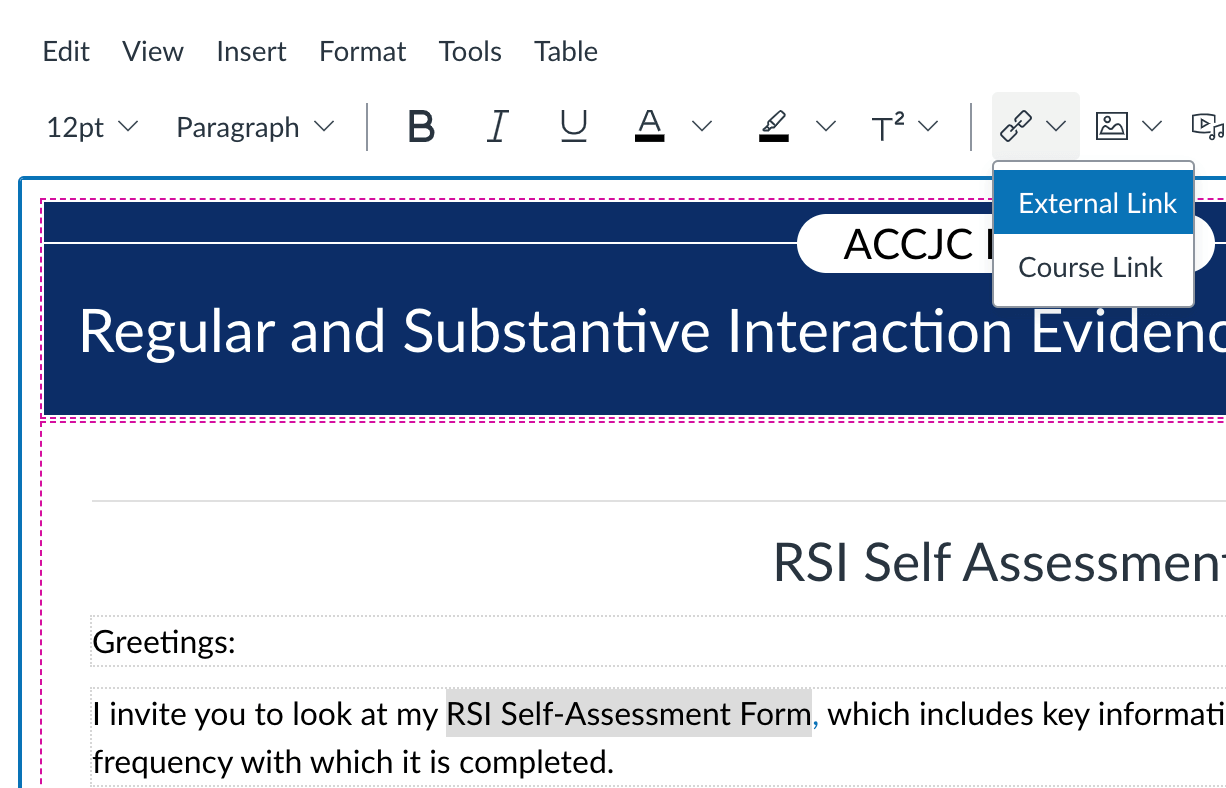
- In your message to the ACCJC evaluators from Step 3, highlight the phrase “RSI Self-Assessment Form.”
- Click on the link icon.
- Choose “external link.”
- Paste your link from your RSI Self-Assessment Google Doc and hit “enter.”
- Save your page.
✅Step 5:Repeat with each online or partially online class you have.
✅Step 6: Share and discuss if you would like to.
- Meet with your colleagues and discuss how you filled out your forms.
- Attend a DE office hour to share best practices and/or ask questions.
- Bring results to a CTX/DE support session

Stay Connected