FAQ - How to Use to "Cerritos Student" Wi-Fi
How to Use to "Cerritos Student" Wi-Fi
- In the Wi-Fi settings for your device find "Cerritos Student" and connect to it. Below
are screenshots for two popular options: Windows and iOS.
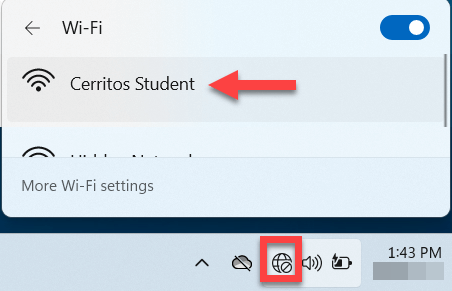
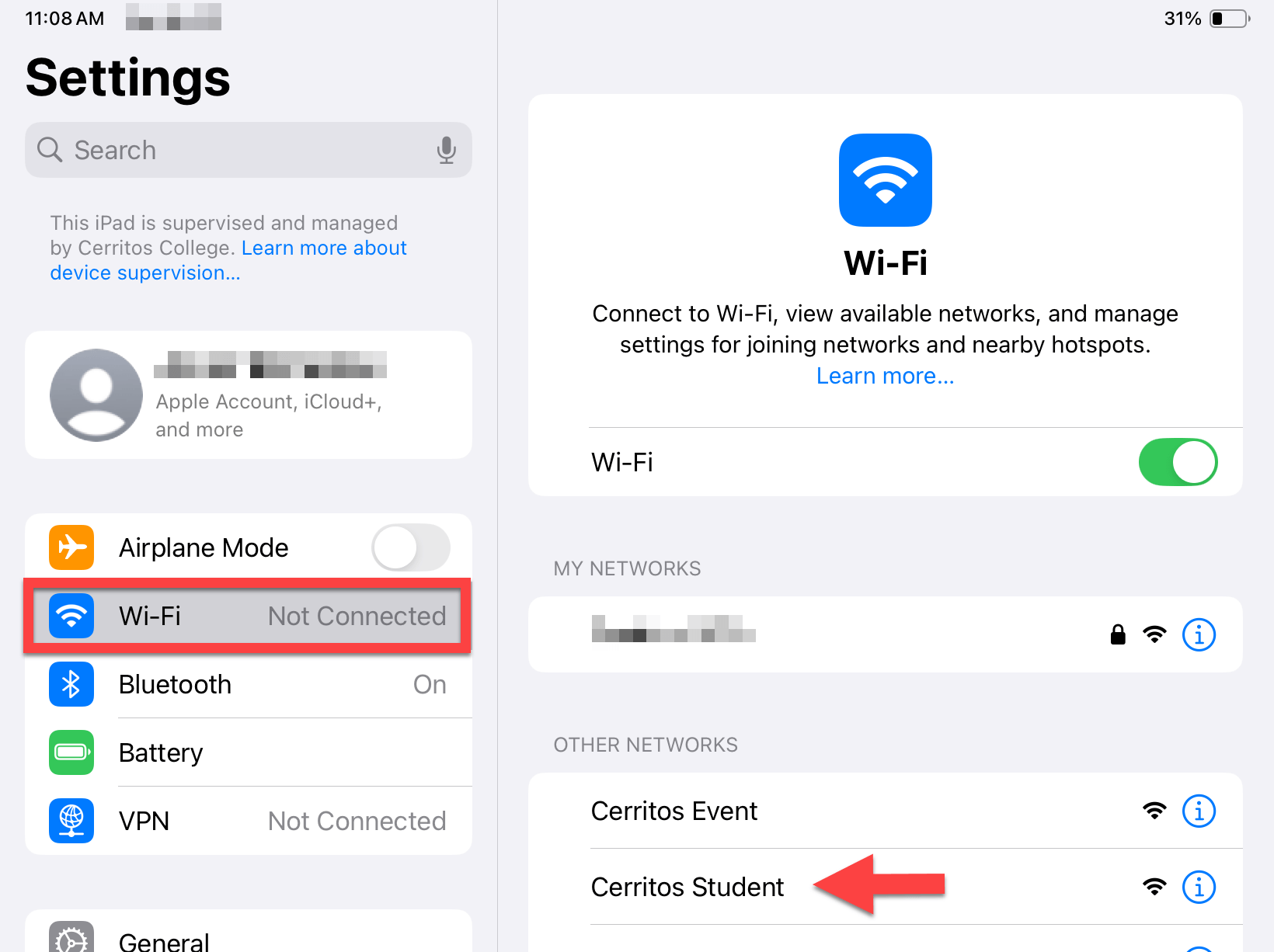 The settings for your device will vary depending on the specific device. Windows, MacOS, Android, & iOS will all look different depending on the version and type of device.
 - Log in using your student ID and password. Check the box "I accept the terms of use."
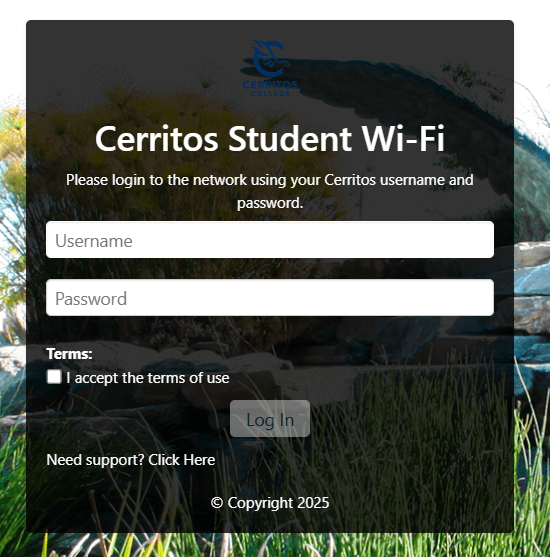 NOTE: This is the same username & password you are using at the Cerritos portal
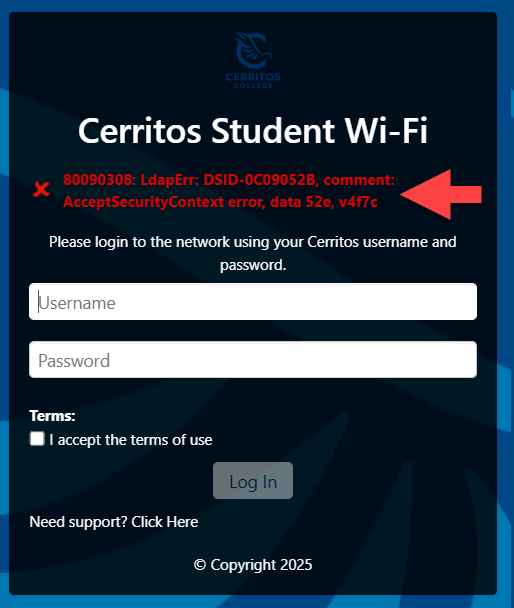
https://cerritos.onbio-key.com/ - If your login fails or you get an error like the one below, please check your password
at https://cerritos.onbio-key.com/ You may need to update or change your password.

Stay Connected