FAQ - Google Gemini for Employees
Google Gemini for Employees
Cerritos College employees can use their campus accounts to unlock additional AI models and features in Google Gemini that are not part of a free Gmail account. Below are instructions for how Cerritos College employees can log in to Google Gemini.
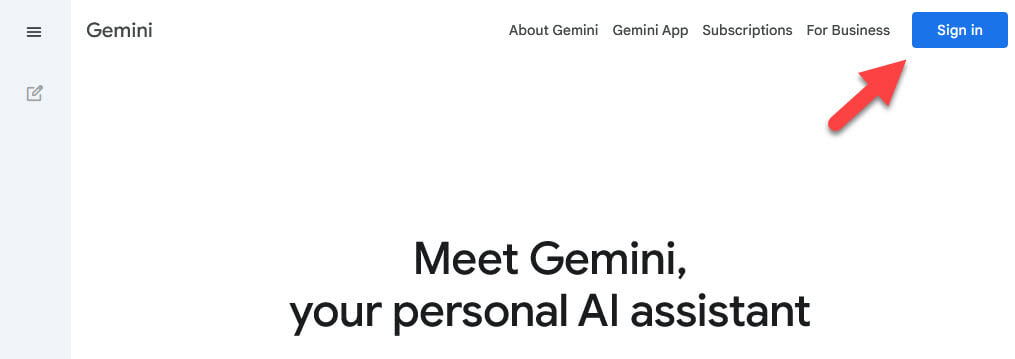
- Go to https://gemini.google.com/app and click "Sign in" at the top right corner.
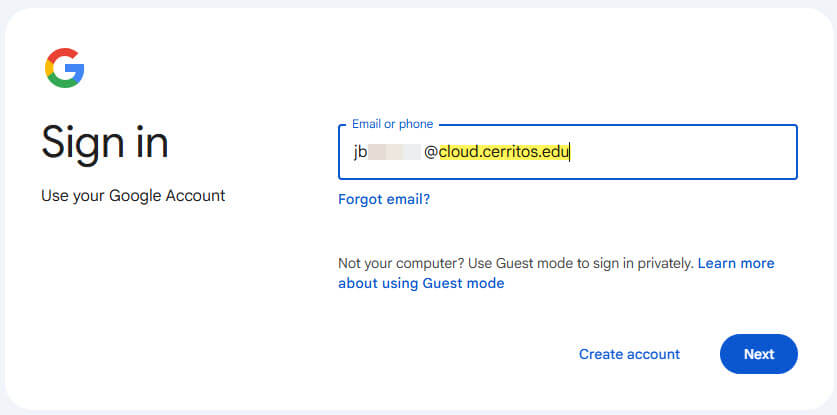
- In the prompt, enter your Cerritos Google Workspace account. This account should be
your username with @cloud.cerritos.edu at the end. For example, JSMITH@cerritos.edu would be JSMITH@cloud.cerritos.edu. This will redirect you to https://cerritos.onbio-key.com/ for authentication and bring you back to Google Gemini.
Please note that the @cloud.cerritos.edu account is NOT a functioning email account
and should not be used for email communication.